Quick Start Guide
How to Use LEVEL: Your Action Blueprint to Crush Liabilities
Managing your debt payoff shouldn’t feel like navigating a complex maze. The LEVEL Debt Free App is an optimized financial tool engineered to construct a clear roadmap to financial autonomy. This guide covers how to execute your setup wizard, route your interest payments, and export your roadmap to freedom.
Too many people suffer from financial burnout because standard budgeting tools focus exclusively on historical tracking rather than forward-looking velocity. By transitioning from passive tracking to active debt release, you eliminate the mental burden of decision fatigue. Below, we walk through the exact framework to establish your debt profiles and launch your payoff stack.
Part 1: Navigating the Setup Wizard
When you log in to LEVEL for the first time, you will launch the Setup Wizard. This input sequence establishes your current liability landscape. You will need to gather your credit card, student loan, car loan, and mortgage statements to complete this step.
Welcome & Setup Init
Organize your statements—make sure you have the precise current balance, APR (interest rate), and the minimum monthly payment for every active loan.
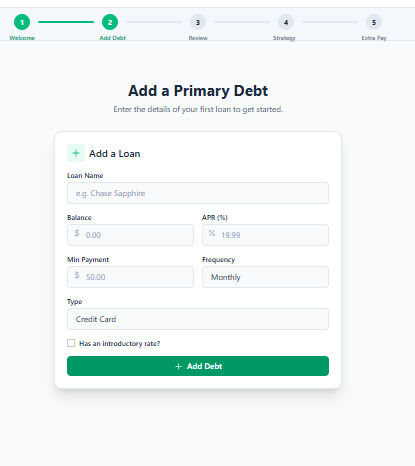
Establish Your Debt Accounts
For each loan, input the lender name (e.g., Chase Sapphire), interest rate, balance, and minimum payment. Enter all your accounts; a complete overview ensures optimal calculation routing.
Review & Verify Your Architecture
Use the summary screen cards to double-check your numbers. You can edit, remove, or append additional debts instantly from this review dashboard.
Part 2: Choosing Your Payoff Strategy
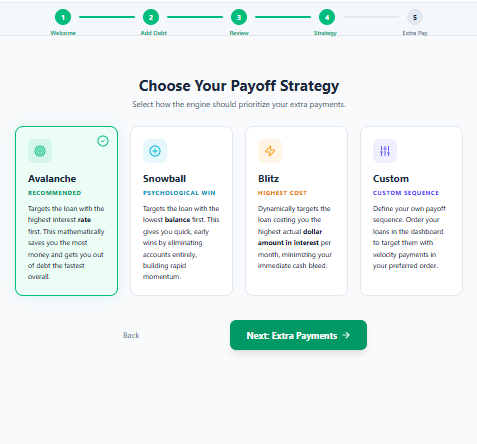
Once your accounts are established, you determine how your extra payments are routed. Unlike rigid systems that restrict you to a single payoff pathway, LEVEL offers four distinct strategic algorithms:
Traditional Strategies
Snowball or Avalanche
Snowball targets the smallest balance first to build emotional momentum. Avalanche targets the highest APR first to minimize absolute interest over the long run.
LEVEL Recommendations
Dynamic Blitz or Custom Sequence
Dynamic Blitz dynamically targets the loan accruing the most actual interest dollars each month to seal cash leaks. Custom Sequence allows you to rank priorities manually.
Many households find that a hybrid structure like the Blitz method yields the best balance of fast cash flow recovery and mathematical savings, targeting the specific account causing the highest monthly dollar drag.
Part 3: Supercharging with Extra Payments
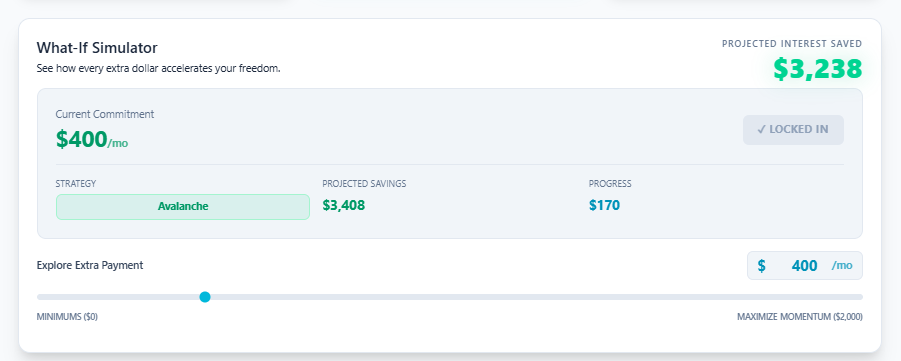
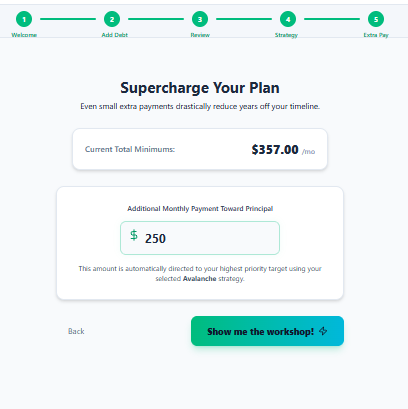
The final section of the wizard introduces your additional monthly payment. By applying principal velocity, you direct excess monthly income straight to your target balance. LEVEL’s What-If Simulator dynamically adjusts, displaying your interest savings and projected debt-free milestone date in real-time.
Part 4: Working with the Live Roadmap
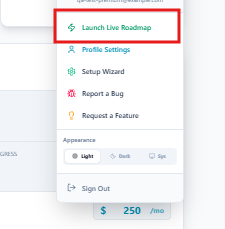
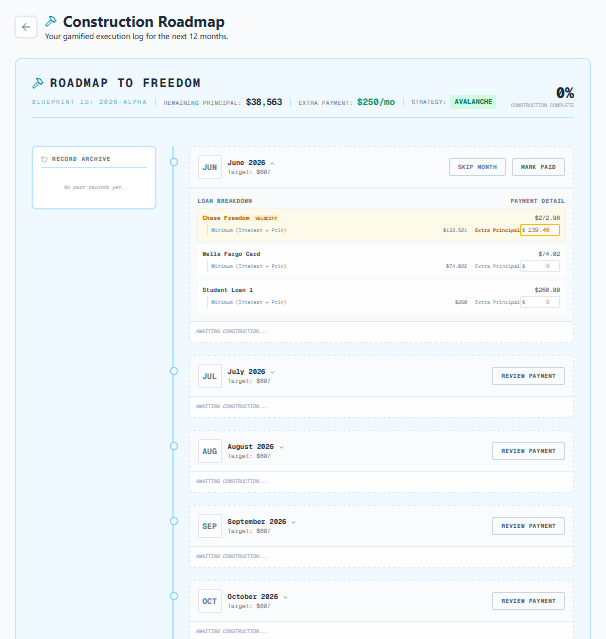
Once you exit the setup wizard, you unlock your Roadmap to Freedom. This view acts as a gamified blueprint for your financial rebuild:
- Visual Bricks: Each upcoming payment is displayed as a concrete brick in your monthly construction stack.
- Marking Paid: When you complete a payment in real life, click “Review Payment” on that month’s brick and mark it paid to trigger the concrete-solidifying animation.
- Reinforced Bricks: Extra payments trigger a golden steel outline, indicating that you have reinforced that portion of your payoff timeline.
- Weather Warnings & Milestones: Alerts alert you to expected high-expense periods, and milestones celebrate dropping below key balance thresholds.
Part 5: Downloading Your Roadmap PDF
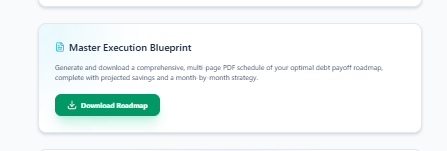
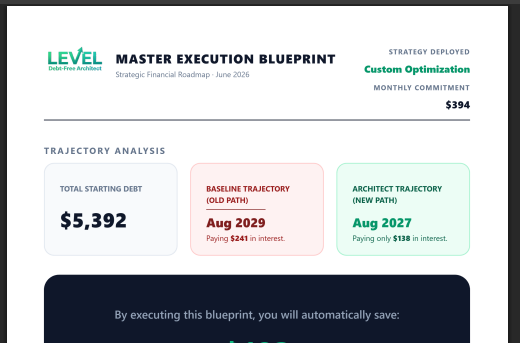
For individuals who value physical reference materials, LEVEL lets you export your roadmap directly. Click the “Download PDF Schedule” button on your profile or roadmap view. Premium tiers export the full, multi-page unblurred payoff schedule, making it easy to pin to your fridge or file with your annual financial goals.
Frequently Asked Questions
What details do I need to start using the LEVEL Setup Wizard?
Can I switch my payoff strategy after completing the initial setup?
What is a “Reinforced Brick” on the Roadmap to Freedom?
Start Your Rebuild
Lay the first brick toward your financial autonomy.
Stop letting compound interest drag down your potential. Launch your custom payoff stack on LEVEL today ↗